

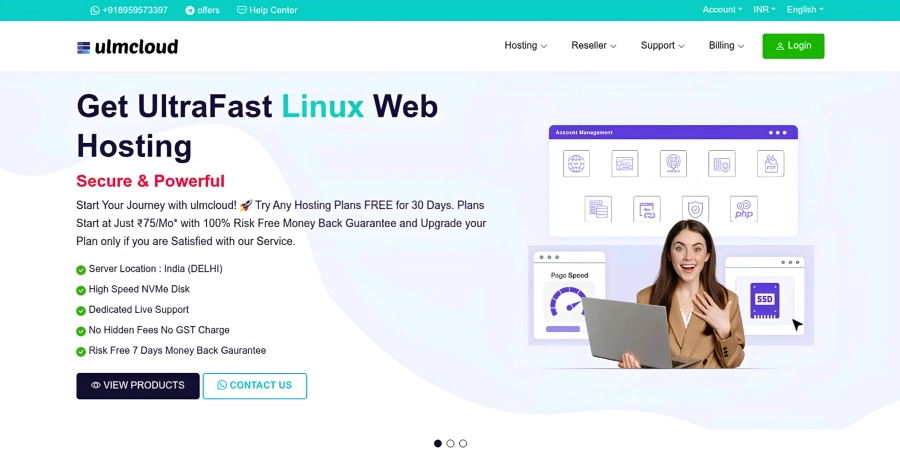
Make sure you have the DataLife Engine CMS installed on your domain before installing Digitalhost.
Use the Digitalhost theme on your main domain and the WHMCS Script on your subdomain.
Your site will look like this:
https://www.example.com – DataLife Engine
https://whmcs.example.com – WHMCS
This will make your business site look Professional.
Before this, you should know what files have been provided to you inside Digitalhost Theme Files.
Make sure you get all the files below from Themeforest.
digitalhost datalife template with whmcs
│
├── DLE Template
│ └── ulmcloud.zip
│
├── DLE Modules
│ └── ulmcloud.zip
│
└── WHMCS
│
├── Theme Files
│ └── ulmcloud.zip
│
├── hooks.zip
└── orderforms.zip
Installation Guide
- Digitalhost Theme Installation
- Digitalhost Module Installation
- Digitalhost Theme Activation
- WHMCS Theme Installation
Digitalhost Theme Installation
Complete information about theme installation is given below.
- To install Digitalhost Theme, login to cPanel in your browser.
- Now open the root folder where you have installed DataLife Engine.
- After that open the templates folder.
- After this, click on the Upload option given at the top.
- After that you will get a file named ulmcloud.zip inside the DLE Template Folder, you have to upload it here.
- After uploading the ulmcloud.zip file, right click on the file and click on the Extract option.
- After the files are extracted, right click on the file and delete it.
Digitalhost Module Installation
To activate hosting plans, you'll need the Digitalhost Module on the DataLife Engine Dashboard. So, let's install the module first.
- In cPanel File Manager, open the root folder where you have installed DataLife Engine.
- After that, click on the Upload option given at the top.
- You will find ulmcloud.zip file inside DLE Modules Folder on Theme Files, upload this file here.
- Now right click on the file and extract the files.
- After that, right click on the files and delete them.
Digitalhost Theme Activation
Only after following these steps, you should activate the theme from DataLife Engine.
- Open your DataLife Engine Dashboard in a browser. Example: https://www.example.com/admin.php
- After the dashboard opens, login to your dashboard using your username and password.
- Now click on System settings.
- Look a little below and select ulmcloud Theme in the option of Website template by default: and then save the settings by clicking on the Save button below.
- Congratulations, you have successfully installed the Digitalhost Theme.


RELATED POSTS
DataLife Engine Kya Hai - DataLife Engine Install Kaise Kare
Republic Day Wishing Script Free Download 2025
Free Web Hosting - फ्री वेब होस्टिंग के फायदे और नुकसान